
AssetHatch logo

AI Sprite Generator

Create consistent, game-ready pixel art assets in minutes. Generate, animate, edit, and export your sprites without having to draw every frame by hand.

Free to start · No credit card required

Golden meadow at the edge of a dark forest, with an open dirt path for a side-scrolling game scene.Animated side-scrolling pixel art game scene where a forest ranger fires an arrow at a purple slime.
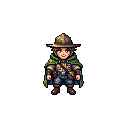
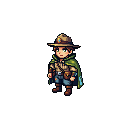
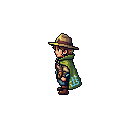
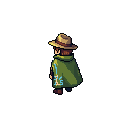
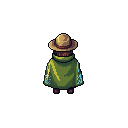
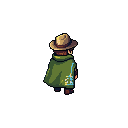
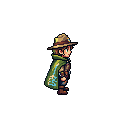
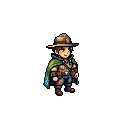
Cheerful forest ranger in a moss-green cloak walking east and firing a wooden bow.Small purple forest slime facing west and playing a gentle idle animation.

Create game-ready pixel art without the repetitive work

Use our AI sprite generator to turn ideas or reference images into consistent sprites, smooth animations, and organized sprite sheets faster. Spend less time recreating the same character across frames and more time building your game.

Create consistent pixel art from any idea

Turn text or reference images into pixel art sprites that match your game's visual direction. The AI sprite generator gives you a consistent starting point without requiring you to draw every asset from scratch.

Bring your sprites to life

Create idle, walk, run, and action animations without drawing and aligning every frame by hand. The AI sprite generator keeps your character recognizable throughout the motion, so you can test animation ideas without rebuilding the sprite for every action.

Nine-frame walk sprite sheet for a cheerful pixel art forest ranger

Export clean sprite sheets

Use the AI sprite sheet generator to preview your animation and export a transparent PNG sprite sheet with consistently arranged frames. Our AI sprite generator keeps the sequence organized so you can slice it and set it up inside your game engine.

3 Steps

How to use the AI sprite generator

Use the AI sprite generator to move from an idea or reference image to consistent pixel art, an animation preview, and an organized sprite sheet in three steps. Review the same visual direction at each stage before setting up the asset in a game engine.

01
Step 1
Describe your sprite

Describe your sprite

Enter a prompt or upload a reference image to define the character, style, colors, proportions, and equipment you want. Clear input gives the AI sprite generator a stronger reference for creating a recognizable base sprite.

02
Step 2
Generate and refine

Generate and refine

Generate the first pixel art result, compare its silhouette and key details with your idea, and refine unwanted colors, accessories, or proportions before animation begins.

03
Step 3
Animate and export

Animate and export

Choose an action, preview the sequence at animation speed, and check whether the motion reads clearly. The AI sprite sheet generator organizes the approved frames for export, slicing, and timing inside your game engine.

Why creators use our AI sprite generator

AM

Alex Morgan

Solo Game Developer

The AI sprite generator helped me turn a rough ranger concept into a consistent character and animation test much faster than drawing every frame by hand.

MC

Maya Chen

Pixel Artist

I can keep the character recognizable across frames, then spend my time refining the silhouette, palette, and motion instead of rebuilding the sprite.

NB

Noah Brooks

Indie Game Designer

The AI sprite sheet generator makes it easier to preview a movement, compare ideas, and hand organized frames to the developer working on the prototype.

LP

Lena Park

Game Jam Creator

For a weekend game jam, getting from a prompt to an animated character quickly meant I could focus on controls, levels, and making the game feel fun.

EC

Ethan Cole

Unity Developer

The exported transparent PNG sprite sheet was straightforward to slice in Unity, and the consistent frame layout made animation setup much less repetitive.

NS

Northstar Studio

Small Indie Studio

The AI pixel art sprite sheet generator gives our small team a practical starting point for character tests without adding days of manual frame production.

Common Questions About AI Sprite Generation

Learn how to create pixel art sprites, animations, and game-ready sprite sheets for your 2D game.

An AI sprite generator turns text prompts or reference images into 2D visual assets that can become characters, animation frames, and sprite sheets for games. The phrase sprite generator AI describes the same basic workflow: generate a direction, review the result, and refine it for production.

The current AI sprite generator is designed for sidescroller pixel art characters, their animation frames, and organized sprite sheets. You can establish a design, test common actions, preview motion, and prepare the frames for export. Additional asset types and camera views may be added over time.

Yes. You can describe the sprite with a text prompt or upload a reference image to guide its design, colors, clothing, proportions, and overall visual direction. This AI sprite generator uses that reference to keep distinctive details recognizable in later animation frames.

Yes. An AI sprite generator turns a consistent character into a sequence of animation frames, lets you preview the movement, and prepares the frames for export. Check the pose, silhouette, and timing before downloading the complete sequence.

A sprite sheet is a single image containing multiple animation frames arranged in a grid. A game engine reads each frame in sequence to display actions such as idle, walking, or attacking. An AI sprite sheet generator organizes those related frames into one predictable image for easier slicing. For pixel-art characters and animations, the same workflow is often described as an AI pixel art sprite sheet generator.

You can export a complete animation as a transparent PNG. Our AI sprite generator prepares the sequence, and the AI sprite sheet generator arranges its frames in one image so you can slice them into cells and configure playback inside your game engine.

Yes. This AI sprite generator exports an organized PNG sheet that works with common 2D game engines such as Unity, Godot, and GameMaker. The AI sprite sheet generator does not replace engine setup; you still configure frame size, animation speed, looping, and playback rules.

No. A sprite generator AI workflow handles much of the initial frame creation and alignment, while an AI sprite generator gives beginners a faster way to test an idea. Experienced creators can still refine the silhouette, palette, timing, and individual frames.

Yes. An account is required to use generation credits, keep your generated work connected to you, and return to saved creations later. It also preserves your AI sprite generator history, so you can revisit or continue refining practical assets.

Create Your Next Game Asset in Minutes

Start with an idea and create a visual asset you can refine for your next prototype, game jam, or production build.

Free to start · No credit card required







